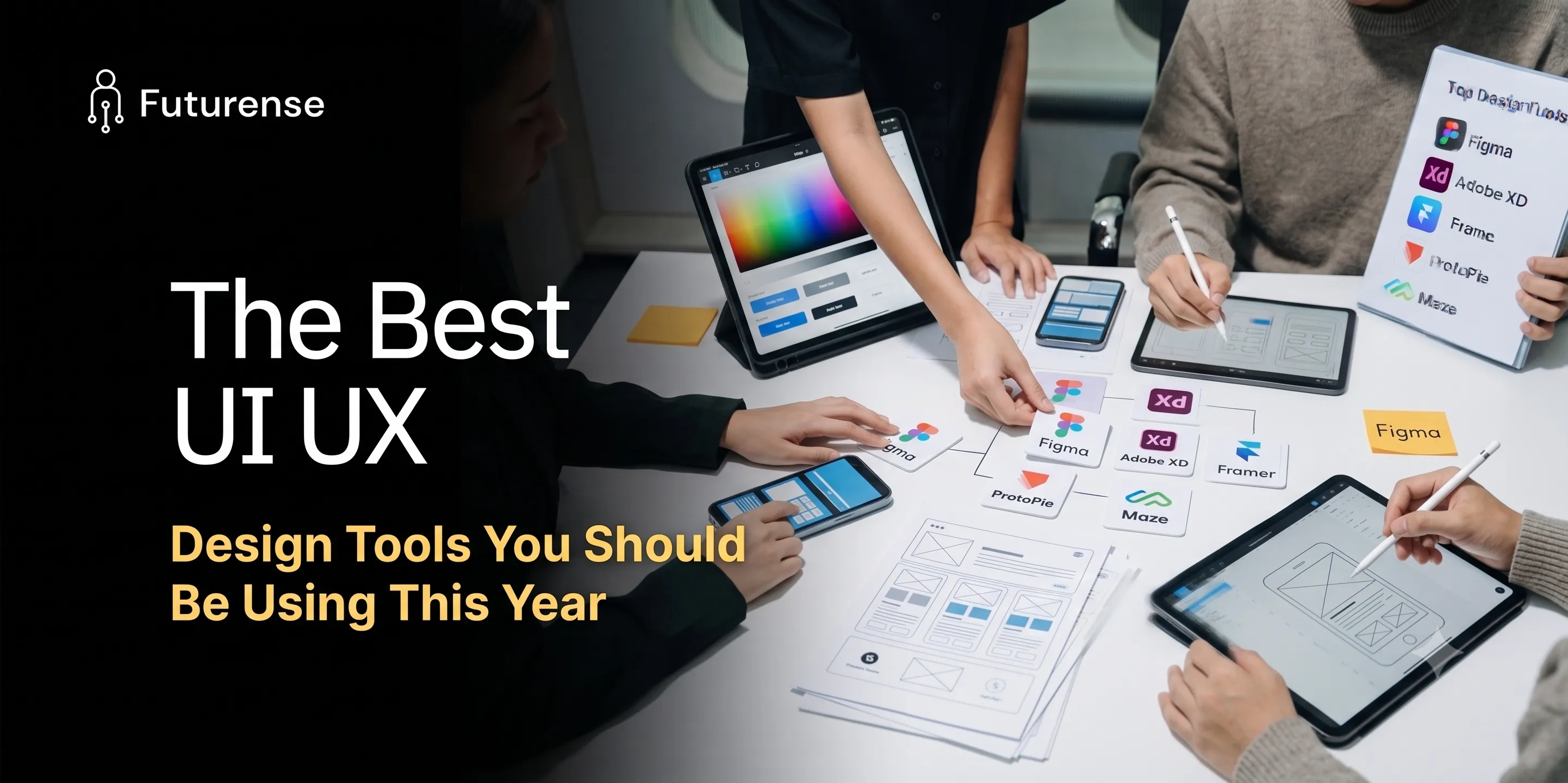


The digital product landscape is moving faster than ever. As product design shifts into an era deeply integrated with generative AI, design token systems, and live code-backed components, the software we use daily is evolving alongside it.
Whether you are a freelancer launching standalone web apps or a senior designer governing a massive corporate design system, using outdated software will slow down your workflow and cap your market value. The days of treating interface layout as an isolated step of drawing static vector boxes are officially over.
This comprehensive guide breaks down the market's leading options, evaluating the top choice UI UX design tools by operational categories, key features, pricing structures, and distinct use cases to help you choose the ultimate platform for your workflow.
The Modern Product Design Ecosystem
To choose the right UI UX design tools, you must understand how different design software options specialize across distinct stages of the product lifecycle.
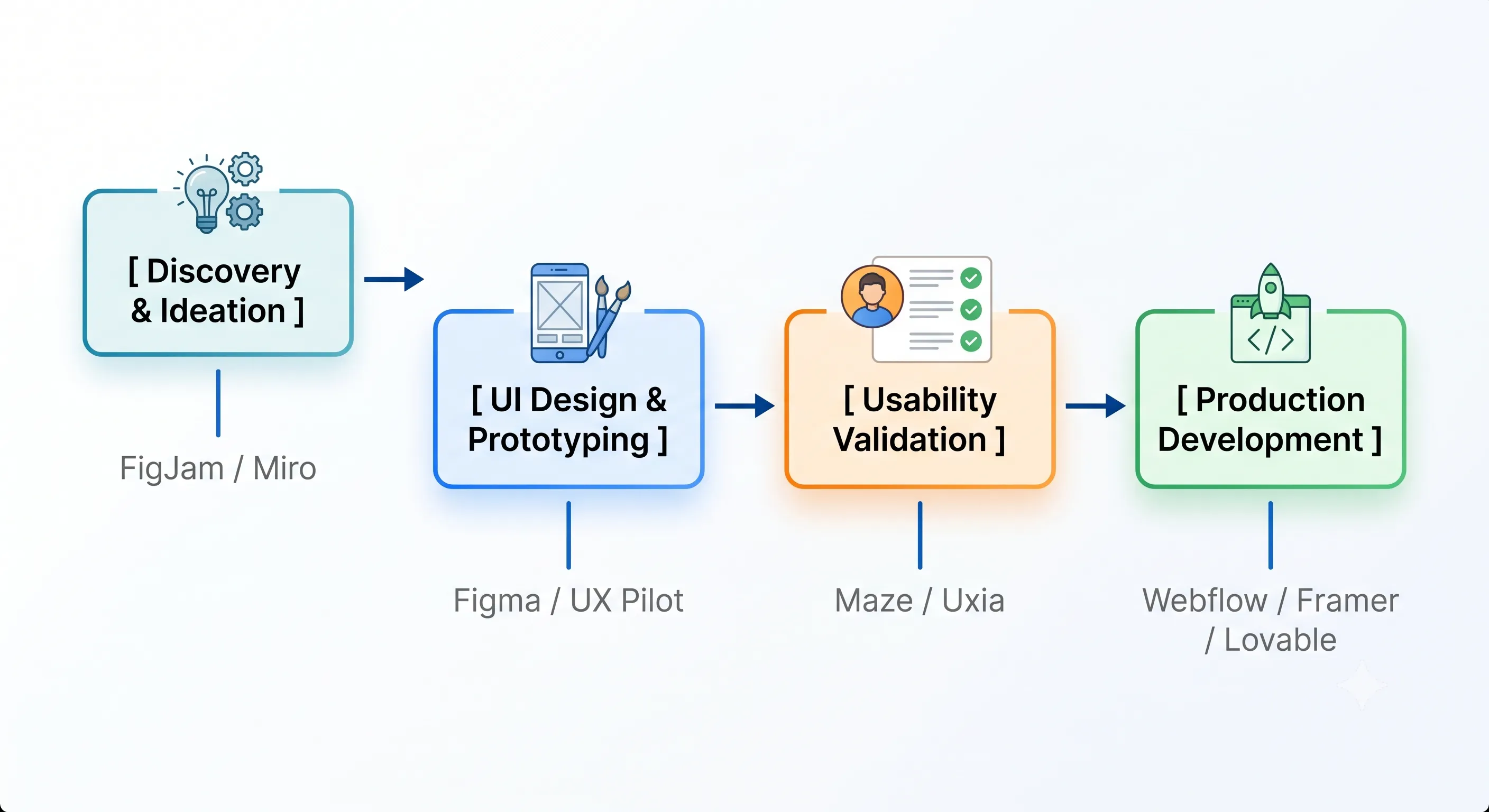
1. Collaborative Interface Design & Prototyping (The Industry Standard)
These essential user interface software applications serve as the ultimate single source of truth for design teams, bridging the gap between raw canvas design and engineering handoff.
Figma
Figma remains the absolute heavy-weight champion of the UI/UX industry. Operating entirely in the cloud, it enables seamless multiplayer editing, robust vector graphics creation, prototyping, and advanced design system governance.
- Key Features: Component variants, unified variables (for light/dark modes and multi-brand themes), Dev Mode for precise engineering specs, and its native Figma Make AI engine that generates layout blocks directly within your file based on your design system.
- Best For: High-fidelity UI design, component library management, and cross-functional product team collaboration.
- Pricing: Starter (Free), Professional ($12 to $15/editor/month), Organization ($45/editor/month).
UX Pilot AI
UX Pilot has emerged as a powerhouse for fast-moving product teams who want to accelerate the discovery and wireframing phases without starting from scratch. It is built entirely around an AI-driven UX workflow.
- Key Features: Natural language interface generation, automated user flow mapping, and instant design critiques that evaluate layouts for usability flaws before they hit user testing.
- Best For: Rapid wireframing, creating quick concept layouts, and optimizing early UX architecture via conversational prompts.
- Pricing: Forever Free individual tier; Pro plans start at $15 to $29/month.
2. Conversational AI Design Partners (The New Wave)
These specialized, AI-native platforms eliminate the "blank canvas problem" entirely, allowing you to generate fully editable layouts through natural language or rough wireframe sketches.
Flowstep
Flowstep completely reimagined how designers move from product requirements documents (PRDs) to editable visual layouts. Instead of drawing boxes manually, you chat with it like an assistant designer.
- Key Features: Text-to-UI generation on an infinite canvas, multi-screen generation (e.g., creating login, homepage, and checkout screens in a single prompt), and seamless integration allowing you to copy files directly into Figma with standard
Cmd+C/Cmd+V. - Best For: Defeating creative blocks and quickly populating screens with clean typographic hierarchy and spacing systems.
- Pricing: Tiered subscriptions starting around $12 to $15/month.
Uizard
Uizard uses advanced artificial intelligence to convert low-fidelity inputs like a hand-drawn marker sketch on a napkin or a mobile screenshot into structured, fully customizable UI mockups.
- Key Features: Sketch-to-design conversion, text-to-UI generator, built-in structural theme modifiers, and automated attention heatmaps that predict where a user's eyes will land on the page.
- Best For: Founders, product managers, and rapid prototype teams who need to transform conceptual sketches into crisp, high-fidelity visuals within minutes.
- Pricing: Free tier available; Pro packages start at $19/month.
3. Advanced Usability Testing & Validation Tools
Great UX software isn’t defined by how pretty a screen looks; it is defined by how effortlessly a user achieves their goal. These tools allow you to test your prototypes with actual or simulated users before sending a single line of code to production.
Maze
Maze is the premier remote usability platform that integrates directly with Figma prototypes. It records user interactions to deliver qualitative data in quantitative formats.
- Key Features: Automated heatmaps, click maps, asynchronous user session testing, miss-click analysis, and instant diagnostic reporting charts.
- Best For: Validating user interfaces, finding navigation friction points, and running A/B design tests with target consumer groups.
- Pricing: Free basic tier; professional team pricing starts at $29/month.
Uxia
Uxia is at the forefront of modern QA testing by utilizing AI-powered synthetic users to test human interfaces within minutes.
- Key Features: Simulated user personas testing accessibility parameters, structural wayfinding analytics, and rapid navigation challenge detection before push-to-live.
- Best For: Instant accessibility audits and sanity-checking UX flow logic without waiting weeks for real-world user recruitment panels.
- Pricing: Custom scalable usage plans for individuals and enterprise teams.
4. Design-to-Code & Live Production Platforms
The line dividing design and code is actively dissolving. These platforms skip traditional developer handoff completely by translating visual drag-and-drop canvases into production-grade HTML, CSS, and frameworks.
Webflow
Webflow is a visual web development platform that matches the code structure of HTML and CSS directly to a designer's spatial styling panel.
- Key Features: Semantic code export, complex interaction and animation engines, advanced native CMS architectures, and direct clean site hosting.
- Best For: Marketing websites, design portfolios, custom responsive landing pages, and interactive brand experiences.
- Pricing: Free development staging; site plans start at $14/month; Workspace plans for teams scale higher.
Framer
Framer treats web layout design similarly to Figma but functions as a direct canvas-to-site publishing ecosystem. It is renowned for high-performance animation management.
- Key Features: Absolute pixel-perfect responsive layouts, fluid component transformations, integrated generative AI text layout generators, and lightning-fast global hosting.
- Best For: Product landing pages, visual-heavy startup sites, and micro-animation web platforms.
- Pricing: Free testing tier; basic site hosting starts at $5 to $15/month.
Lovable AI
Lovable represents a complete departure from clickable mockups. Instead of building static prototypes that simulate loading data, Lovable generates a living, database-backed application.
- Key Features: Conversational generation of full-stack functional software apps, automatic database generation, user account authentication setups, and deployment capabilities inside of hours.
- Best For: Launching functional MVPs (Minimum Viable Products), testing real data persistence with early alpha users, and hyper-rapid software validation.
- Pricing: Professional subscription tiers based on feature complexity and database compute requests.
Comparative Analysis Matrix
How to Build Your Design Tool Stack
Selecting tools for web design and app prototyping shouldn't come down to personal hype; it must align with your project constraints and technical proficiency.
- The Enterprise/Agency Stack: Combine Figma (for UI alignment and system management), Maze (for rigorous usability and customer validation testing), and Webflow or Framer (for deploying front-facing experiences).
- The Lean Startup / Solo Founder Stack: Pair UX Pilot AI or Flowstep to break through early discovery phases, and deploy directly with Lovable AI to put a fully functional, working application into the hands of real users inside a single afternoon.
Conclusion
The evolution of modern UI UX design tools is focused on eliminating manual, tedious production repetition; AI platforms like Flowstep and Uizard handle early layout heavy-lifting, collaboration systems like Figma maintain strict design consistency, and visual engines like Framer and Lovable bypass code blockages entirely.
However, software mastery is empty without foundational product psychology, which leaves many aspiring creators wondering Best UI/UX Design Course to bridge the gap between simple tool execution and strategic, job-ready user experience design.
The most successful designers this year will not be those who draw every vector box manually; they will be the design orchestrators who construct smart systems using the right software at the exact right stages of the product lifecycle.
1. Is Figma still relevant with the rise of dedicated AI UI generators?
Yes, Figma remains more relevant than ever. Standalone generative AI design engines create great initial concepts, but they lack the structural systems architecture required for real enterprise products. Platforms like Flowstep choose to export directly into Figma because it remains the central infrastructure where final refinement, components, variables, and engineer handoffs occur.
2. Can I design fully production-ready apps without knowing HTML/CSS using Framer or Webflow?
Yes. Both Framer and Webflow let you publish live, commercial-grade websites without manual coding. However, having a fundamental understanding of box-model layouts, flexbox mechanics, and styling hierarchy will drastically improve your efficiency and control over these tools for web design.
3. What happened to Adobe XD?
Adobe XD has entered a complete maintenance mode with no significant feature updates. While it remains accessible via specific Adobe Creative Cloud subscription tiers for legacy support, the global product design industry has shifted cleanly to Figma and modern browser-centric alternative platforms.
4. What tool should I learn first as a complete UI/UX beginner?
Figma is the baseline industry requirement. Almost every design vacancy, internship, and engineering handoff protocol expects proficiency in Figma. Master components, auto-layouts, and variables first before integrating secondary AI acceleration tools into your pipeline.


Advanced Certificate Program in UI/UX Design with Agentic AI & GenAI
IITM Pravartak
India’s first Agentic Workflow-Led UI/UX Program