

If you've spent any time building with large language models in 2026, you've run into this comparison. Search "AI agent framework" and both names show up in nearly every result. Developers new to the space often assume they have to pick a side, LangChain or LangGraph, the way you'd choose between React and Vue.
That assumption causes real problems: teams either over-engineer a simple chatbot with a full state graph, or under-engineer a production agent with a linear chain that breaks the moment it needs to retry a failed tool call.
This guide breaks down what each framework actually does, how they relate to each other, and more importantly how to decide which layer of the stack you need for the agent you're building.
What Is LangChain?
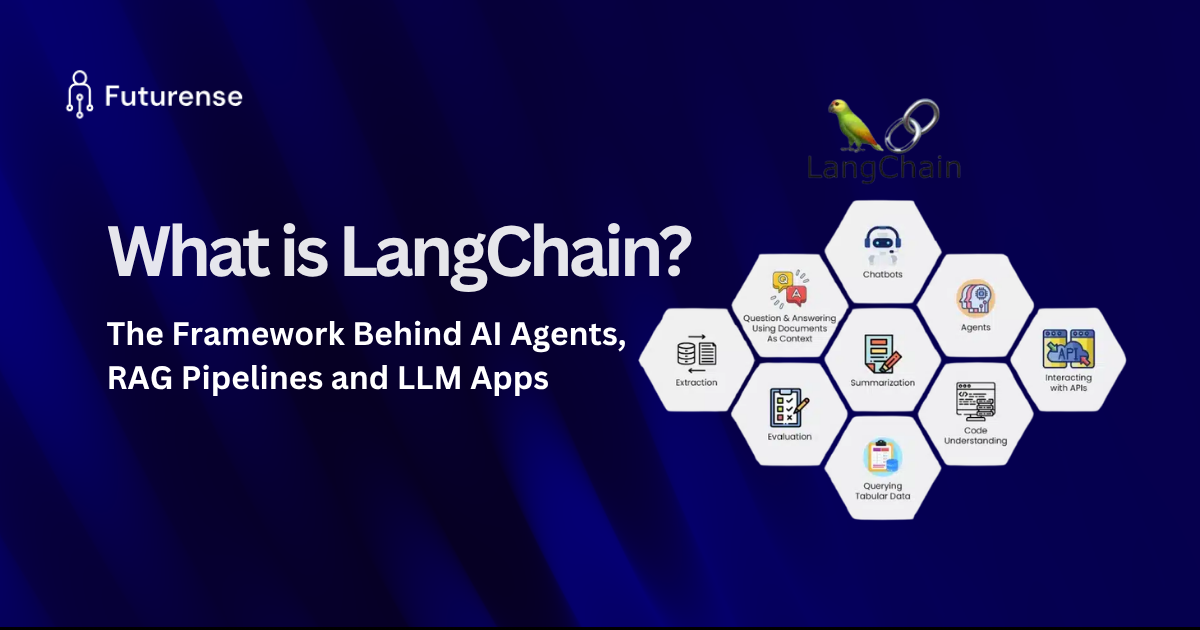
LangChain is an open-source framework, launched in late 2022, designed to remove the boilerplate of building LLM-powered applications. Before LangChain, every team writing an app on top of an LLM was reinventing the same wheel: prompt templating, API call chaining, memory management, and connecting to vector databases.
LangChain solves this with a chain-based architecture. Its core abstraction is the "chain" , a sequence of components where the output of one step becomes the input of the next. Combined with LangChain Expression Language (LCEL), developers can compose prompts, models, output parsers, and retrievers into a single declarative pipeline.
Core Building Blocks of LangChain
- Model abstractions a unified interface across OpenAI, Anthropic, Google, and dozens of other providers
- 600+ integrations vector stores, document loaders, APIs, and tools
- LCEL a composition syntax for chaining components together
What LangChain Is Best At
LangChain's chain-based model is exceptional for tasks that are fundamentally linear: retrieval-augmented generation, prompt templating pipelines, document summarization, and "read data in, transform it, return an answer out" workflows. It's also the fastest path from an idea to a working prototype, since so much of the integration work is already done for you.
What Is LangGraph?
LangGraph takes a fundamentally different approach. Instead of a pipeline, it models an application as a graph: nodes represent operations (an LLM call, a tool call, a human review step), and edges represent the transitions between them. Crucially, LangGraph graphs can cycle; an agent can loop back to re-plan, retry a failed step, or wait for human input before continuing.
This matters because real autonomous agents rarely behave in a straight line. They need to reason, call a tool, evaluate the result, and sometimes go back and try again. A linear chain can't express that natively. A graph can.
Core Building Blocks of LangGraph
- StateGraph an explicit, typed state schema that's passed between nodes and updated as the graph executes
- Persistence and checkpointing the full execution state can be saved at every step, so a workflow can pause, resume, or recover from failure without losing context
- Human-in-the-loop interrupts a graph can pause execution and wait for a human to approve, edit, or reject a step before continuing
- Time-travel debugging because state is checkpointed, developers can rewind execution to any previous step and re-run from there
What LangGraph Is Best At
LangGraph is built for production agent behavior: long-running tasks, multi-agent handoffs, conditional retry logic, and workflows that need a durable, auditable record of every decision which matters enormously for regulated industries that need compliance trials.
LangGraph vs LangChain: The Core Architectural Difference
Pipelines vs. State Machines
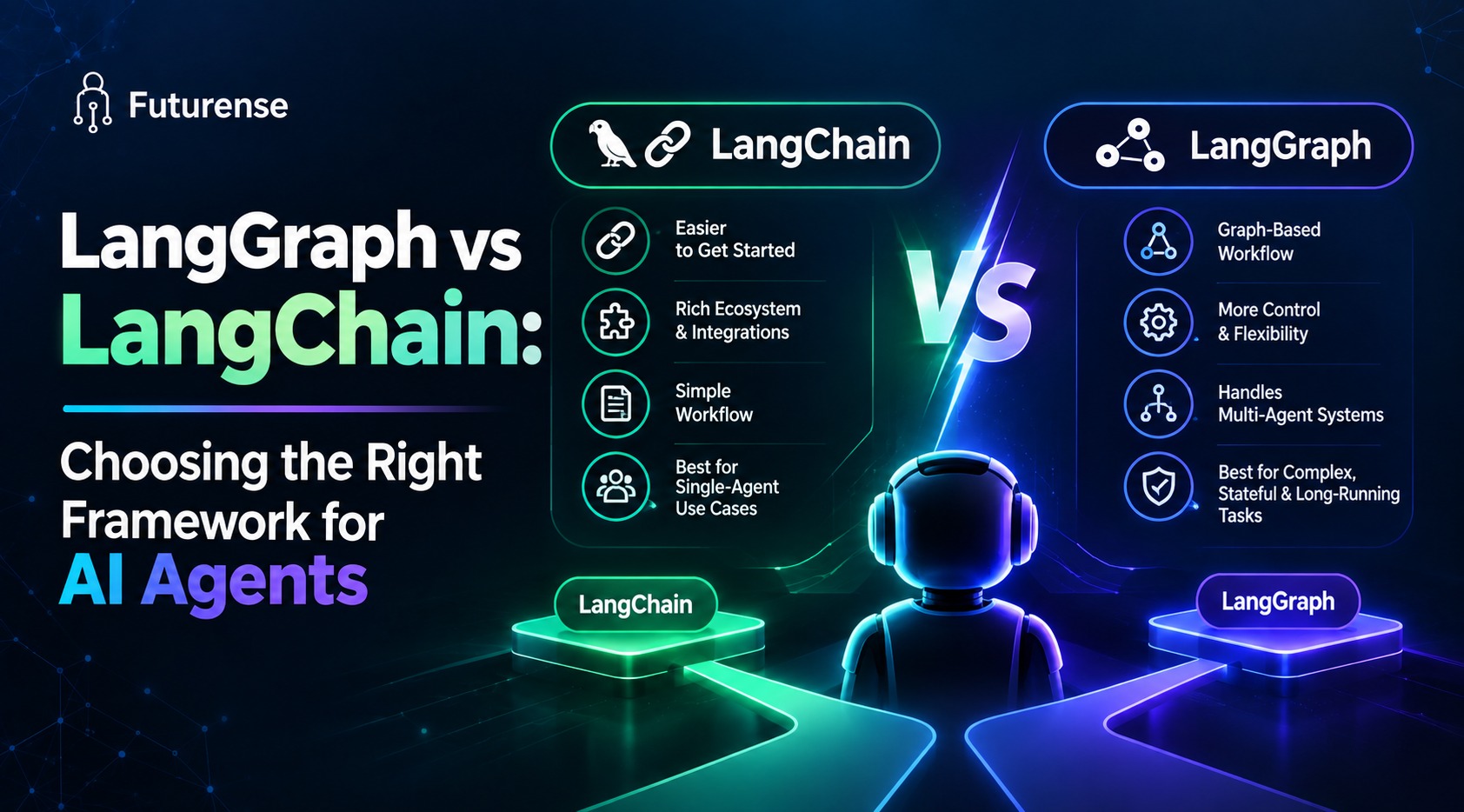
The simplest way to hold this distinction in your head: LangChain thinks in pipelines. LangGraph thinks in state machines.
A pipeline assumes a known sequence of steps executed once, start to finish. A state machine assumes the sequence of steps is not known in advance; it depends on what happens at each node, and it may need to revisit earlier steps. Most simple LLM apps, a Q&A bot, a document summarizer, a basic RAG search are pipelines. Most genuinely autonomous agents, a research assistant that plans, searches, evaluates, and re-plans are state machines.
How They Actually Fit Together (Not Either/Or)
Here's the detail that trips up most newcomers: LangGraph isn't a replacement for LangChain; it's built as a lower-level runtime that LangChain itself now depends on. The pattern that has emerged as standard practice in 2026 is to use both together: LangChain supplies the model connections and 600+ integrations, LCEL handles any simple preprocessing, and LangGraph runs the actual agent execution loop underneath.
LangGraph vs LangChain: Key Differences at a Glance
When to Use LangChain
- You're prototyping and need to move from idea to demo quickly
- Your workflow is genuinely linear retrieve, augment, generate
- You need one of its 600+ pre-built integrations and don't want to hand-roll a connector
- You don't (yet) need to pause mid-execution, add a review step, or handle complex conditional retries
When to Use LangGraph
- You need to intercept and inspect state mid-execution
- The workflow requires a human-approval step before the agent proceeds
- You're building multi-agent systems that hand off tasks between specialized agents
- You need durable state that survives a crash or a multi-day pause and resume
- Compliance or audit requirements demand a full, replayable record of every decision the agent made
A Practical Example: Same Agent, Two Approaches
Imagine a customer-support agent that answers questions using a knowledge base and can escalate to a human for refund approvals.
- Built with create_agent (LangChain, running on LangGraph under the hood): a few lines of configuration model, tools, system prompt and you have a working agent in minutes. Fine, right up until you need the refund step to actually pause and wait for a manager's sign-off.
- Built with explicit StateGraph (LangGraph): you define a node for the refund-approval step, wire in an interrupt, and the graph pauses execution, persists its state, and waits potentially for hours before a human's decision resumes the flow exactly where it left off.
This is the clearest illustration of the decision rule: start with the abstraction, drop to the graph the moment you hit a wall it can't express.
What Changed in 2026: The v1.0 Era
create_agent Now Runs on LangGraph's Engine
Since LangChain and LangGraph both reached 1.0 LTS status in October 2025, the two frameworks have become far more tightly integrated. LangChain's create_agent function now runs on LangGraph's execution engine under the hood meaning even developers who never touch StateGraph directly are benefiting from LangGraph's checkpointing and cyclic execution model without knowing it.
AgentExecutor Is Deprecated
LangChain's older, pre-LangGraph way of running agents, is now in maintenance mode. New projects are steered toward prebuilt patterns, or a hand-written for anything custom. If you're learning LangChain from an older tutorial, this is the single most important update to know: the legacy executor pattern is on its way out.
Beyond LangChain and LangGraph: Where They Sit in the Agent Stack
Neither framework does everything. LangChain and LangGraph are commonly paired with:
- RAG pipelines for grounding agent responses in a company's own documents, and agentic RAG patterns where the retrieval step itself becomes part of the reasoning loop
- The Model Context Protocol (MCP), an emerging standard for connecting agents to external tools and data sources in a provider-agnostic way
- Context engineering practices, which govern what information actually reaches the model at each step arguably as important as the orchestration logic itself
- Broader AI orchestration and MLOps tooling for deploying, monitoring, and versioning agents once they're live
It's also worth knowing the two frameworks aren't the only players. PydanticAI is a strong pick for simple, type-safe agents where minimal abstraction and end-to-end validation matter more than orchestration depth.
The OpenAI Agents SDK is a good fit for teams that want managed state without owning the infrastructure. LangGraph remains the choice when the requirement is complex orchestration, human-in-the-loop control, and time-travel debugging.
How to Decide: A Simple Framework for Teams
- Start with create_agent. It's the right default for most new agent projects in 2026 you get LangGraph's engine underneath without writing the graph yourself.
- Watch for the four triggers. The moment you need to (a) intercept state mid-run, (b) add a human review step, (c) implement conditional retry logic, or (d) coordinate multiple agents that's your signal to write an explicit StateGraph.
- Don't rebuild what already works. If your prototype is a straightforward RAG pipeline with no looping behavior, resist the urge to "upgrade" it to LangGraph just because it's the trendier tool. Linear problems deserve linear solutions.
- Budget for the learning curve. LangGraph asks you to think in an explicit, typed state a genuinely different mental model from chaining function calls. Teams should plan ramp-up time before a production deadline, not during one.
Building a Career Around Agentic AI Frameworks
Understanding what AI agents, AI agent architecture, and how frameworks like LangChain and LangGraph fit into the broader agentic AI landscape is quickly becoming a baseline skill for AI and software engineering roles, not a niche specialization. The distinction between agentic AI, generative AI, and AI agents is also one recruiters increasingly expect candidates to articulate clearly in interviews.
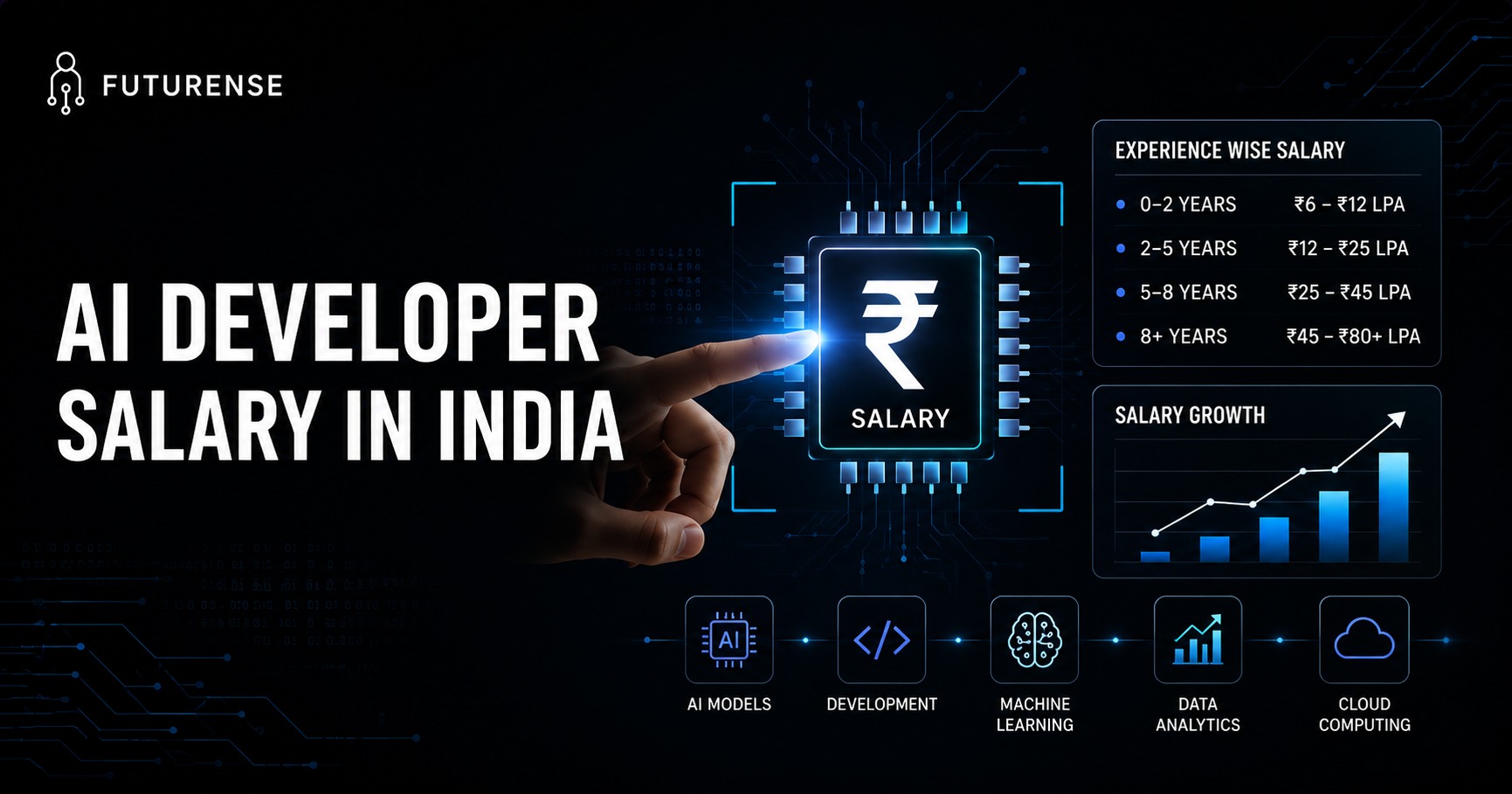
If you're looking to build this expertise formally, Futurense's Agentic AI and Agentic Workflows program with IITM Pravartak and the GenAI and Agentic AI program with IIT Roorkee both go deep on orchestration frameworks, multi-agent systems, and production deployment patterns the exact skills this comparison points toward. It's also worth understanding how these skills translate into roles and compensation: see our breakdowns of how to become an AI engineer and AI engineer salaries in India.
TL;DR:
LangChain and LangGraph aren't rivals, they're two layers of the same stack, built by the same team. LangChain gives you the building blocks (model wrappers, 600+ integrations, prompt templates, LCEL chains) to go from idea to working LLM app fast.
LangGraph gives you the runtime a graph-based execution engine with state, cycles, checkpoints, and human-in-the-loop control to make that app reliable in production. As of LangChain's 1.0 release, its own create_agent function runs on LangGraph's engine under the hood. The real question isn't "which one should I learn" it's "when do I need to drop from the high-level abstraction into the explicit graph."
Is LangGraph a replacement for LangChain?
No. LangGraph is a lower-level runtime that LangChain's own agent abstractions now run on. Most 2026 production stacks use both together rather than choosing one over the other.
Do I need to learn LangGraph if I already know LangChain?
Eventually, yes at least the basics. Even if you use LangChain's create_agent, you're relying on LangGraph's engine underneath. Understanding StateGraph becomes necessary the moment your agent needs human-in-the-loop steps, retries, or multi-agent coordination.
Which is better for beginners: LangChain or LangGraph?
Start with LangChain. Its high-level abstractions and create_agent function get you to a working agent fastest, and you'll naturally encounter LangGraph concepts as your projects get more complex.
Is LangChain's AgentExecutor still usable?
It's in maintenance mode and being phased out. New projects should use create_react_agent() or an explicit StateGraph instead.
What are the main alternatives to LangChain and LangGraph?
PydanticAI (for simple, type-safe agents) and the OpenAI Agents SDK (for managed state with minimal infrastructure ownership) are the most commonly cited alternatives in 2026 comparisons.
Does LangGraph work with providers other than OpenAI?
Yes. Since LangGraph is built by the same team as LangChain, it inherits LangChain's model-agnostic design and works across the same 600+ provider integrations.


Advanced Engineering Program in Applied AI, ML with Context Engineering
IITM Pravartak
Become the Context Engineer every AI & ML team needs to design scalable, business-driven workflows.